Help & Guide
Learn how to get the most out of Planily for your family.
Contents
Getting Started
Welcome to Planily! This app is designed to help your family stay organised, reduce stress, and build healthy habits together. Here is a quick overview of how the main features work together to create a calm household flow.
Add Family Members
Go to Settings to invite your partner and add profiles for your children.
Set up Routines
Create recurring schedules for mornings, bedtimes, or weekly chores.
Today's Focus
The Today's Focus page (your dashboard) gives you a clear snapshot of what is happening right now. Tasks are organized by time of day (morning, afternoon, evening) to reduce overwhelm.
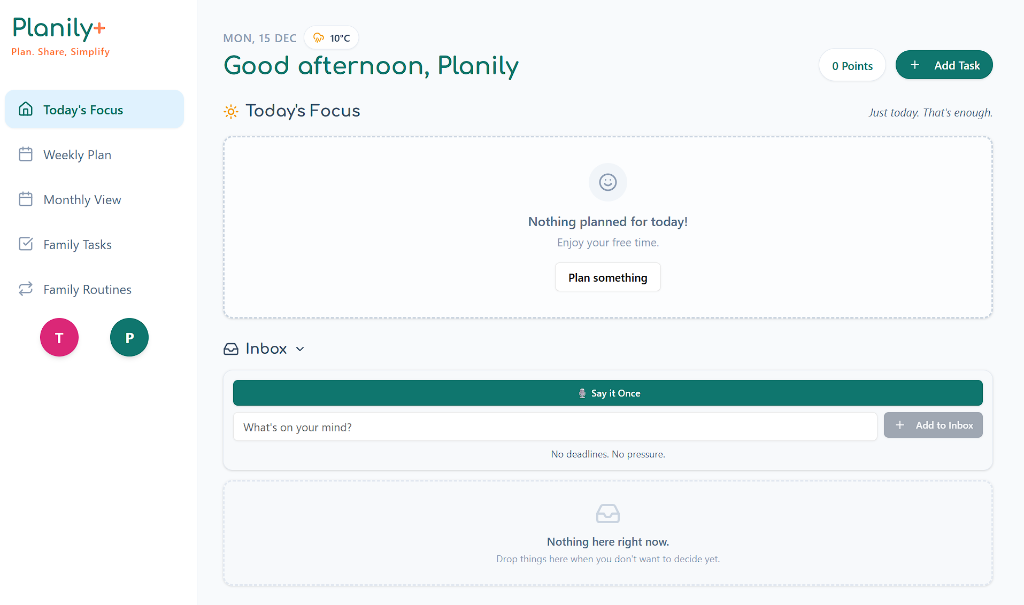
- Tasks are grouped into collapsible morning/afternoon/evening sections
- Check off tasks as you complete them
- Children's completed tasks show "Needs approval" until a parent approves
- Quickly add new events with the "+" button
- Weekly insights appear on Sunday evenings to celebrate what helped your week
Weekly Plan
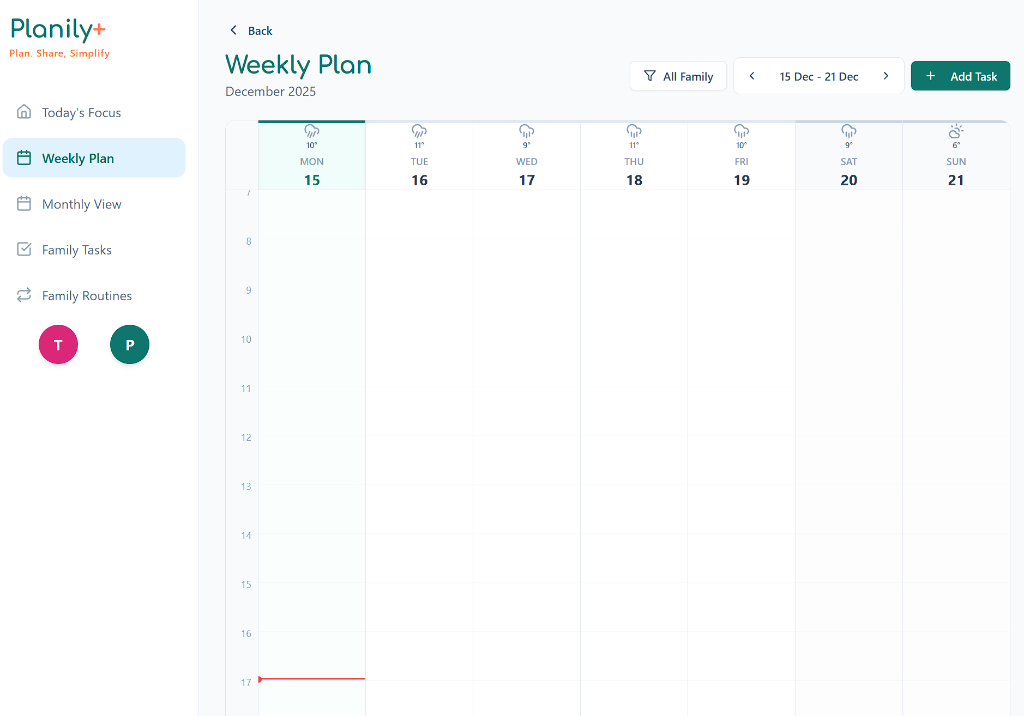
The Weekly Plan view helps you look ahead. Drag and drop events to reschedule them, or click to edit details. Click on blank time slots to create new events starting at that time. Perfect for Sunday night planning sessions.
Monthly View
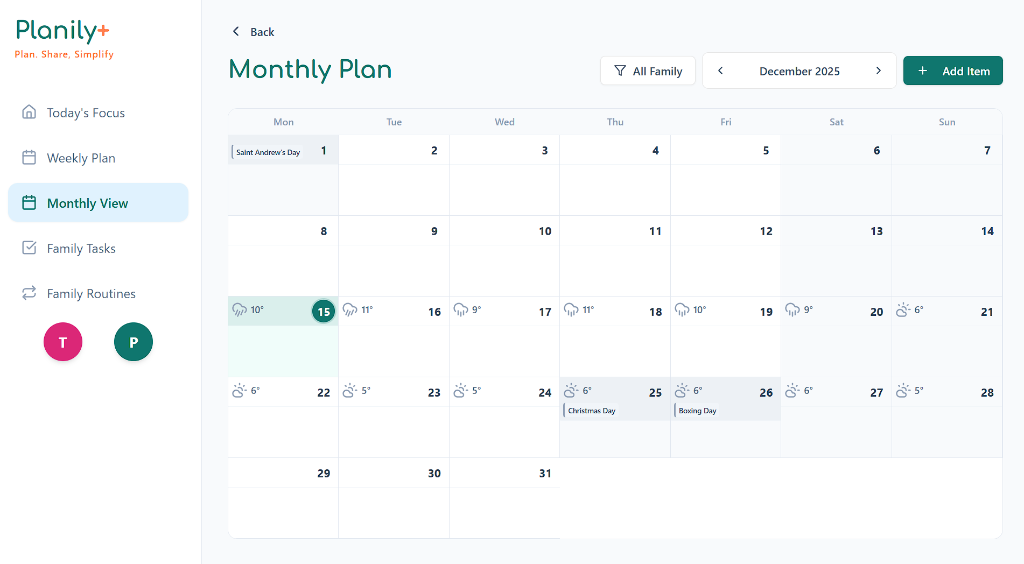
Get a high-level overview of your family's month. Perfect for spotting holidays and planning around appointments.
Note
The monthly view only shows appointments and activities. Meals, household tasks, and routines are hidden here to reduce clutter—focus on the bigger picture. You'll see all task types in the daily and weekly views.
Family Tasks
Manage household chores and to-dos here. You can assign tasks to specific family members and set contribution values to recognize their help.
Family Routines
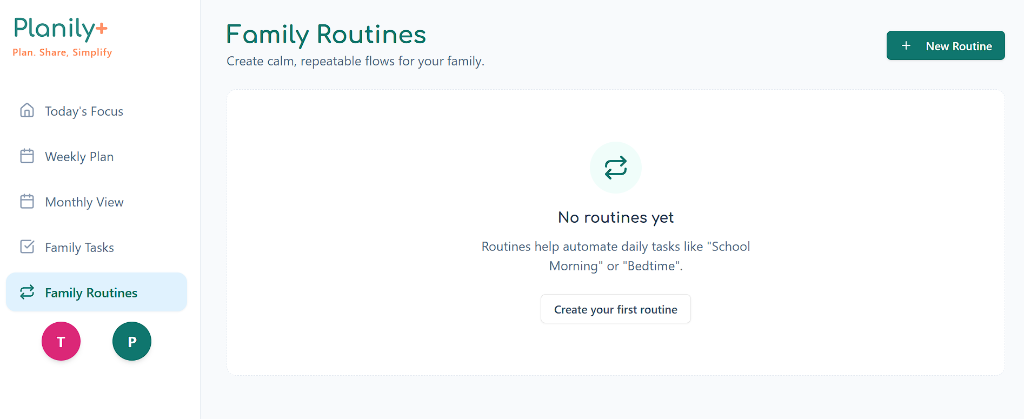
Routines help automate daily habits. Create a "School Morning" or "Bedtime" routine once, and let Planily generate the step-by-step tasks automatically.
Overview of your routines
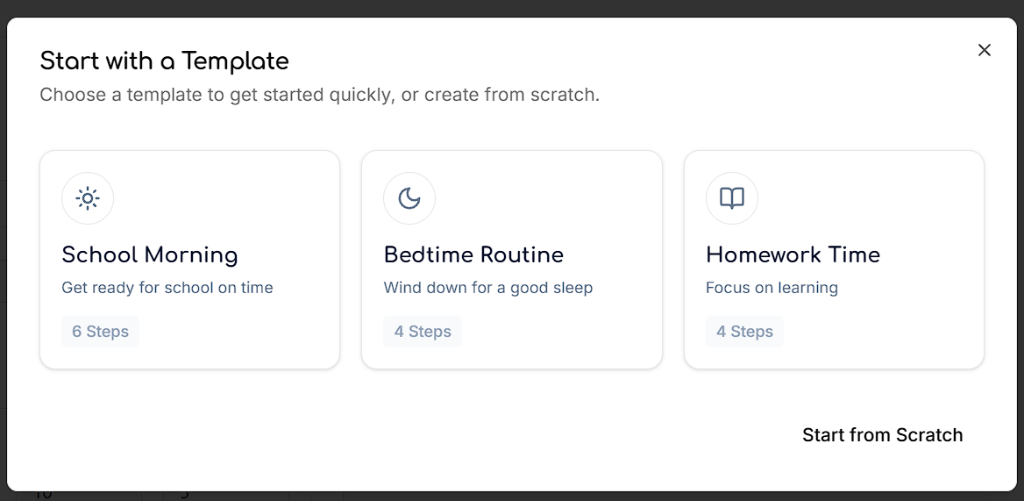
Use templates to get started quickly
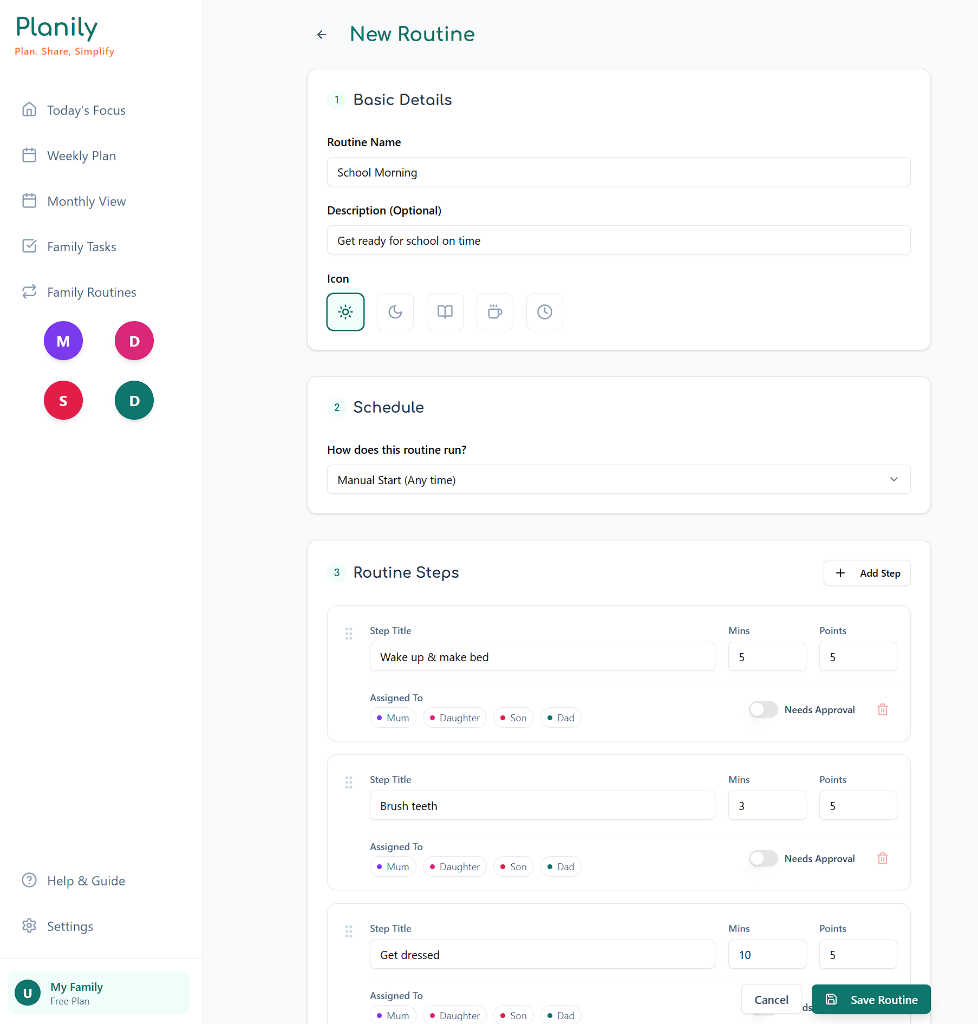
Customize steps and schedule
Inbox
The Inbox is your low-pressure capture zone for quick thoughts and ideas that don't immediately fit into a task or event. It's perfect for those fleeting thoughts you need to save before they disappear.
Voice Notes
Hit the "Voice Note" button, speak your thought, and it's instantly captured as text in your Inbox. No need to type—just talk.
Convert to Tasks
When you're ready, tap "Convert to Task" on any inbox item to turn it into a proper event with dates, assignees, and all the details.
Find it on Today's Focus
The Inbox appears on your Dashboard (Today's Focus). Click "Inbox" to expand it and see your captured items.
Planily Plus Features
Planily Plus unlocks advanced features to make family organization even easier.
Google Calendar Sync
Two-way synchronization between Planily and Google Calendar. Push your family events to Google or import Google events into Planily.
Find this in: Settings → Advanced → Planily Plus Features
🎙️ Say it Once (Voice Commands)
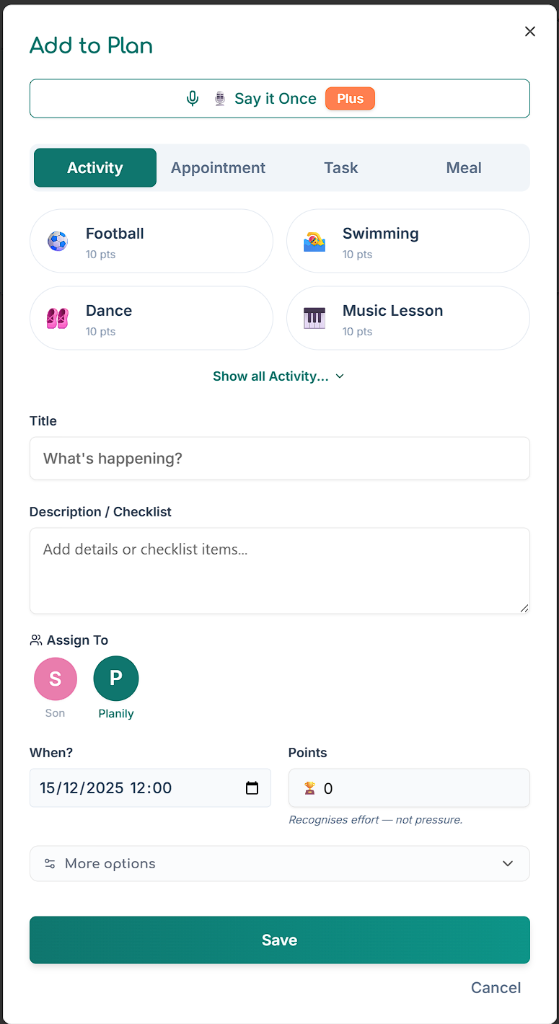
Create events and tasks using natural language. Click the "Say it Once" button, then either speak your command or type it. Our AI interprets commands like "Add soccer practice for Liam tomorrow at 4pm" and creates the event instantly with the right details.
Example Commands:
- "Dentist appointment for Mum on Friday at 2pm"
- "Emma has swimming lessons every Wednesday at 4:30"
- "Family dinner tonight at 6pm"
- "School run tomorrow morning at 8:15"
How it works: The AI recognizes family member names (including nicknames you've set), times, dates, and event types. It automatically assigns tasks to the right people and schedules them at the correct time. If the AI isn't sure about something, it saves your command to the Inbox instead.
Find this: "Say it Once" button in the "Add to Plan" dialog on Dashboard and Calendar
Admin Invites
Family admins can invite new members via email directly from the app. They'll receive a personalized invitation to join your family on Planily.
Find this in: Settings → Family & Household → Invite Family Member
Smart Notifications
AI-powered email digests and intelligent task reminders that adapt to your family's schedule.
Find this in: Settings → Advanced → Planily Plus Features
WhatsApp IntegrationComing Soon
Send voice notes or text messages via WhatsApp and they'll automatically appear in your Planily Inbox. Perfect for capturing thoughts on the go.
Stay tuned—we're working on this feature now!
Members & Settings
The Family Settings page is where you manage your household. Access it from Settings → Family Profile in the main menu.
Family Profile
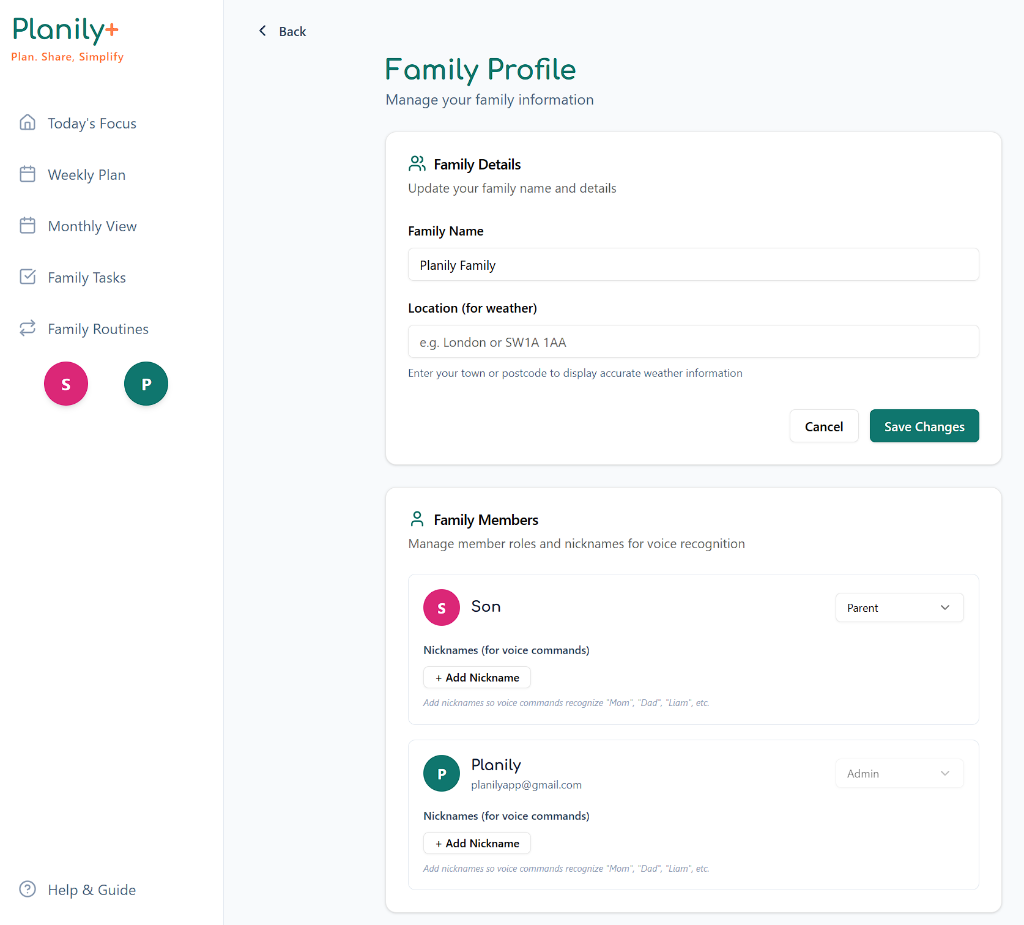
- Family Name: Update your family name to personalize the app experience
- Location for Weather: Enter your town or postcode to display accurate weather information on your calendar and dashboard
- Family Members: View all household members, manage their roles, and add nicknames for voice recognition
Managing Family Members
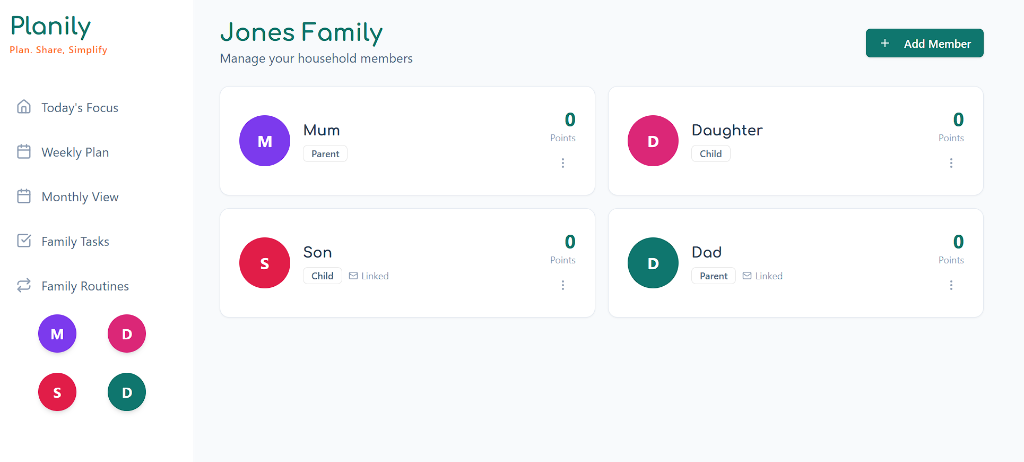
- Member Roles: Assign roles (Admin, Parent, Child, Pet) to control permissions and organize your household
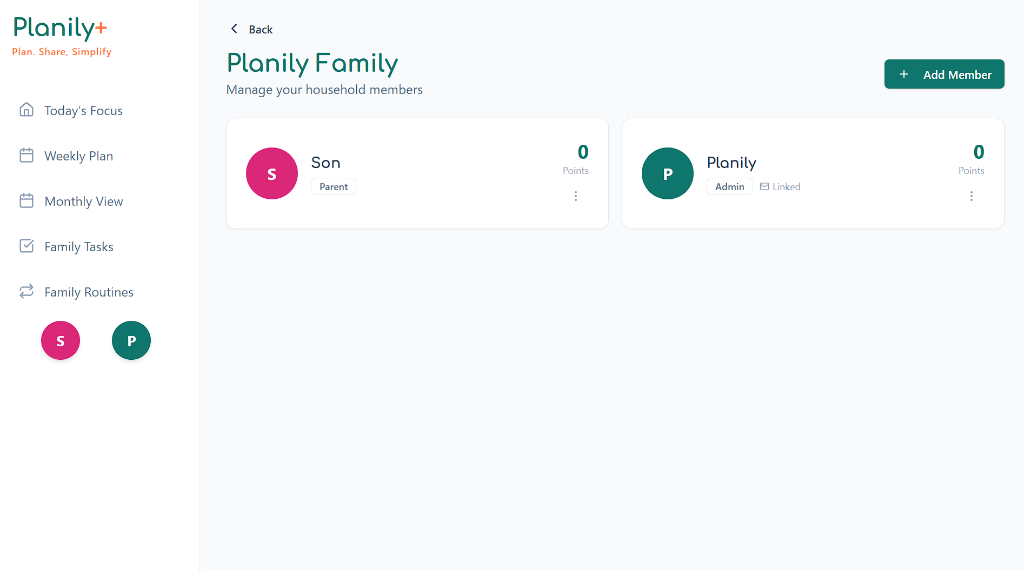
- Points Tracking: View each member's contribution points earned from completing tasks
- Linked Accounts: Members with email addresses can log in to see personalized views and notifications
- Avatar Colours: Each member gets a unique colour to make it easy to identify who's assigned to tasks at a glance
Adding New Members
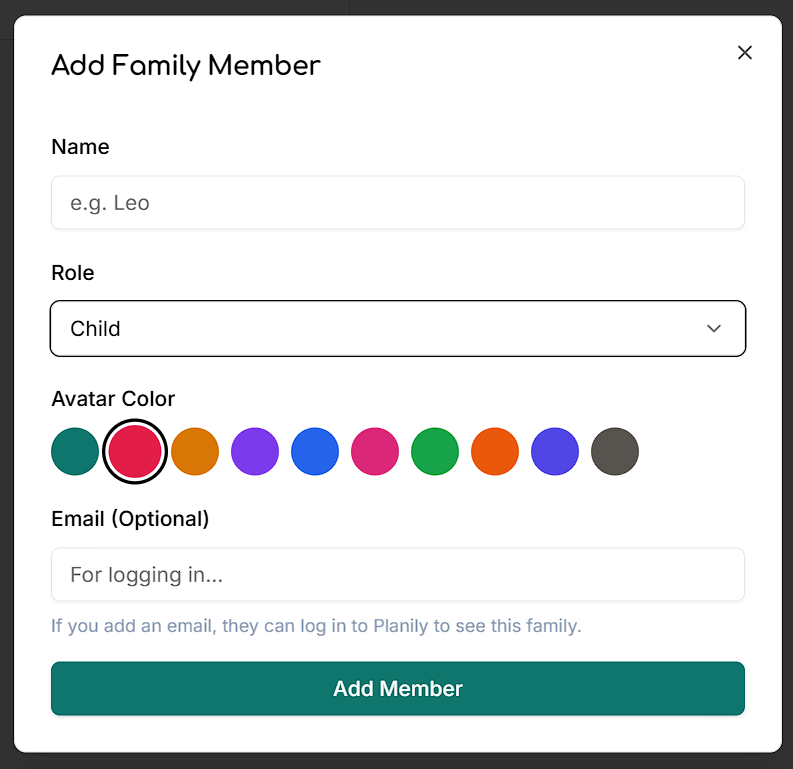
- Name: The display name for the family member
- Role: Choose from Admin, Parent, Contributor, Child, or Pet
- Avatar Colour: Pick a colour that will represent this member throughout the app
- Email (Optional): Add an email if you want this member to log in and access the family. Leave blank for young children or pets
Nicknames for Voice Commands
In the Family Profile settings, you can add nicknames (aliases) for each member. This helps the "Say it Once" voice feature recognize commands like:
- "Mum has a dentist appointment on Friday" (recognizes "Mum" as Mom)
- "Swimming lesson for Liam tomorrow" (recognizes child's name)
- "Dad needs to pick up groceries" (recognizes "Dad" as Father)
Still have questions?
We are here to help you get organised.